Non-admin · new Mac (Apple Silicon)
You have no admin rights, but Homebrew works here when installed into your home
directory (~/brew). Set up your terminal + font first, then let brew handle
the rest — GUI apps (casks → ~/Applications, no admin) and the non-problematic
formulae — and manual-tools.sh install the manual-install list (coursier,
direnv, bat, awscli, tinytex) as prebuilt binaries. (Those would otherwise build from
source under ~/brew’s custom prefix — slow or failing — which is why they’re manual.)
Goal:
maximum no-admin, no password prompts.
1. Install Homebrew (no admin)
git clone https://github.com/Homebrew/brew ~/brew
Add to ~/.zprofile, then restart your terminal:
eval "$("$HOME"/brew/bin/brew shellenv)"
export HOMEBREW_CASK_OPTS="--appdir=$HOME/Applications"   # casks -> ~/Applications, no admin
HOMEBREW_CASK_OPTS=--appdir is the key: it makes brew install --cask … drop apps
into ~/Applications instead of /Applications, so no app install asks for an admin
password.
2. Terminal + font first
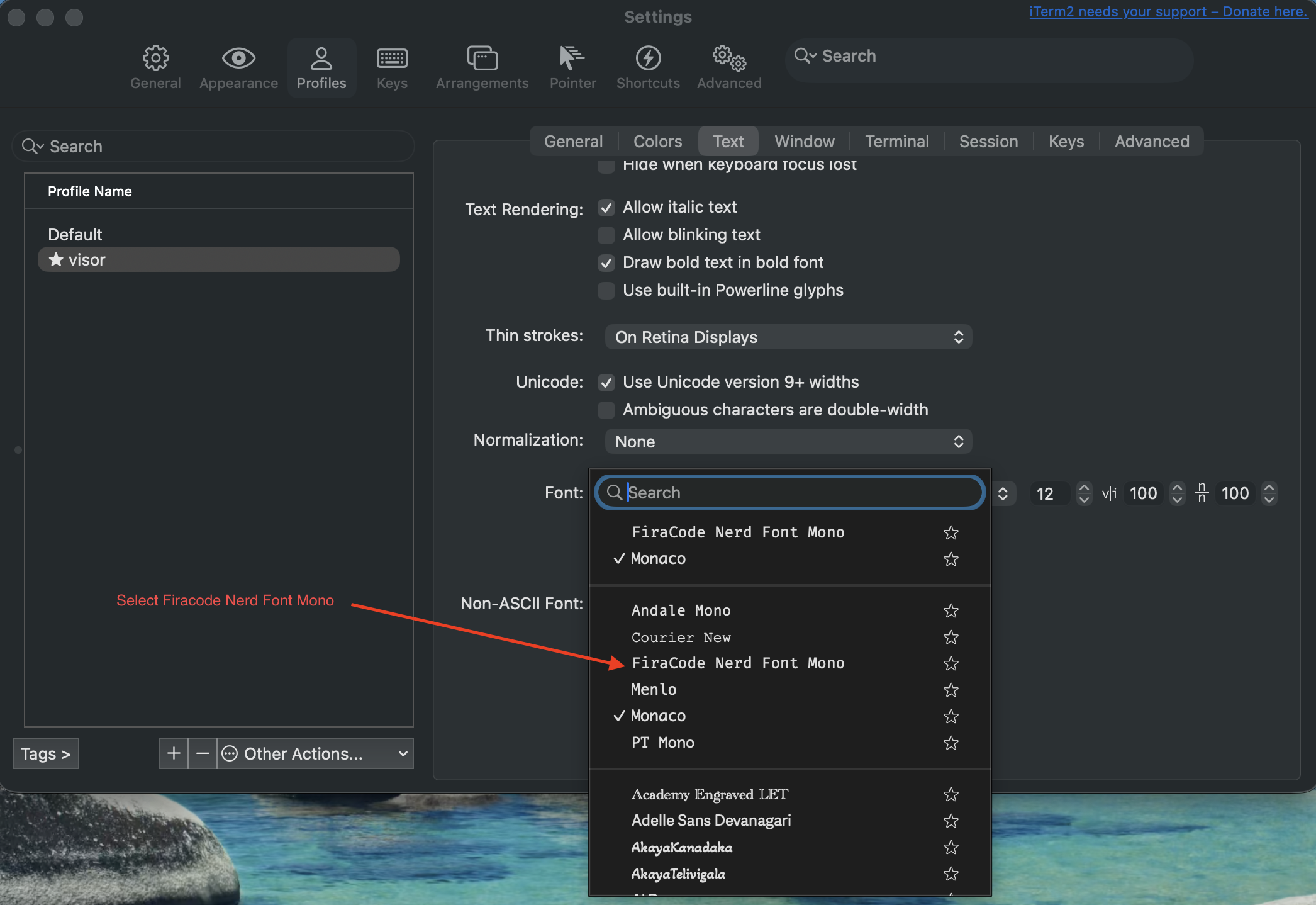
Install iTerm2 and the FiraCode Nerd Font before anything else, then configure iTerm and do the rest of the setup from inside it:
brew install --cask iterm2 font-fira-code-nerd-font
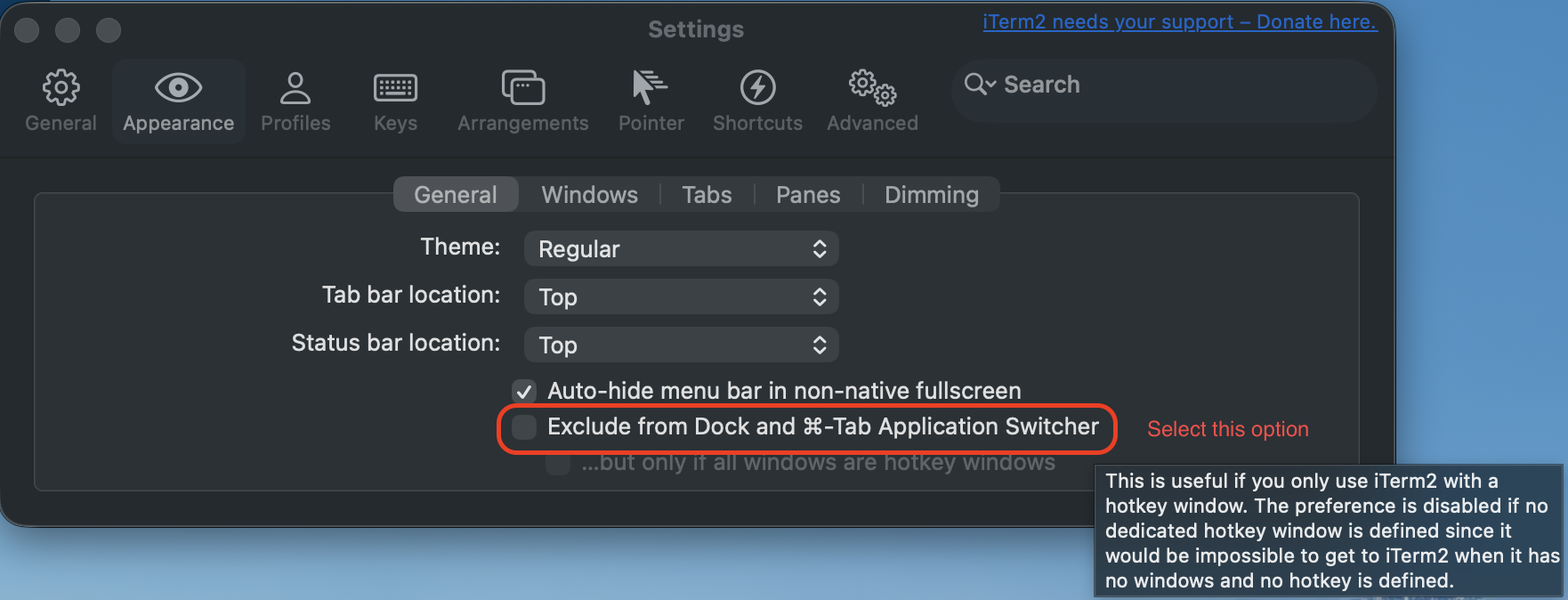
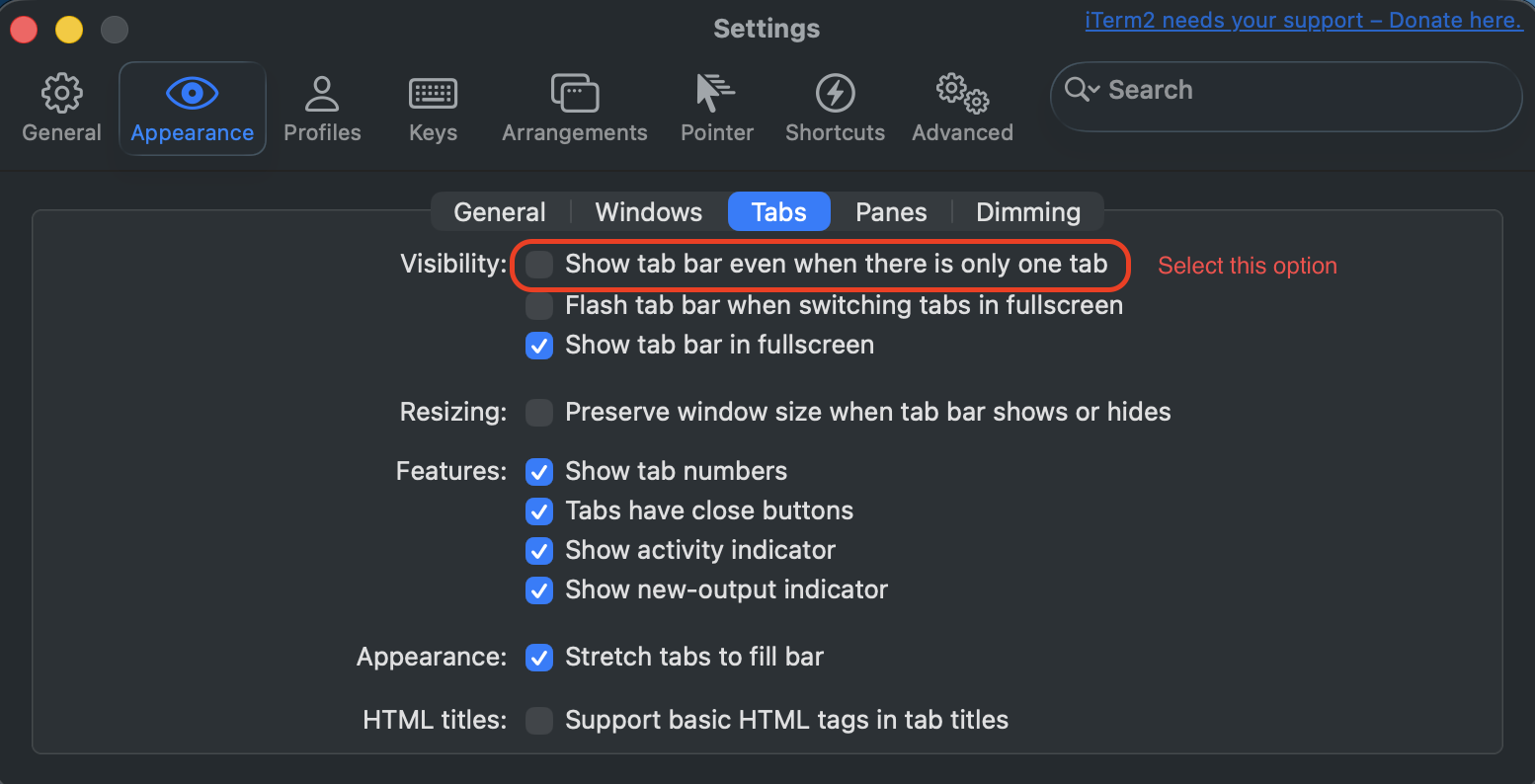
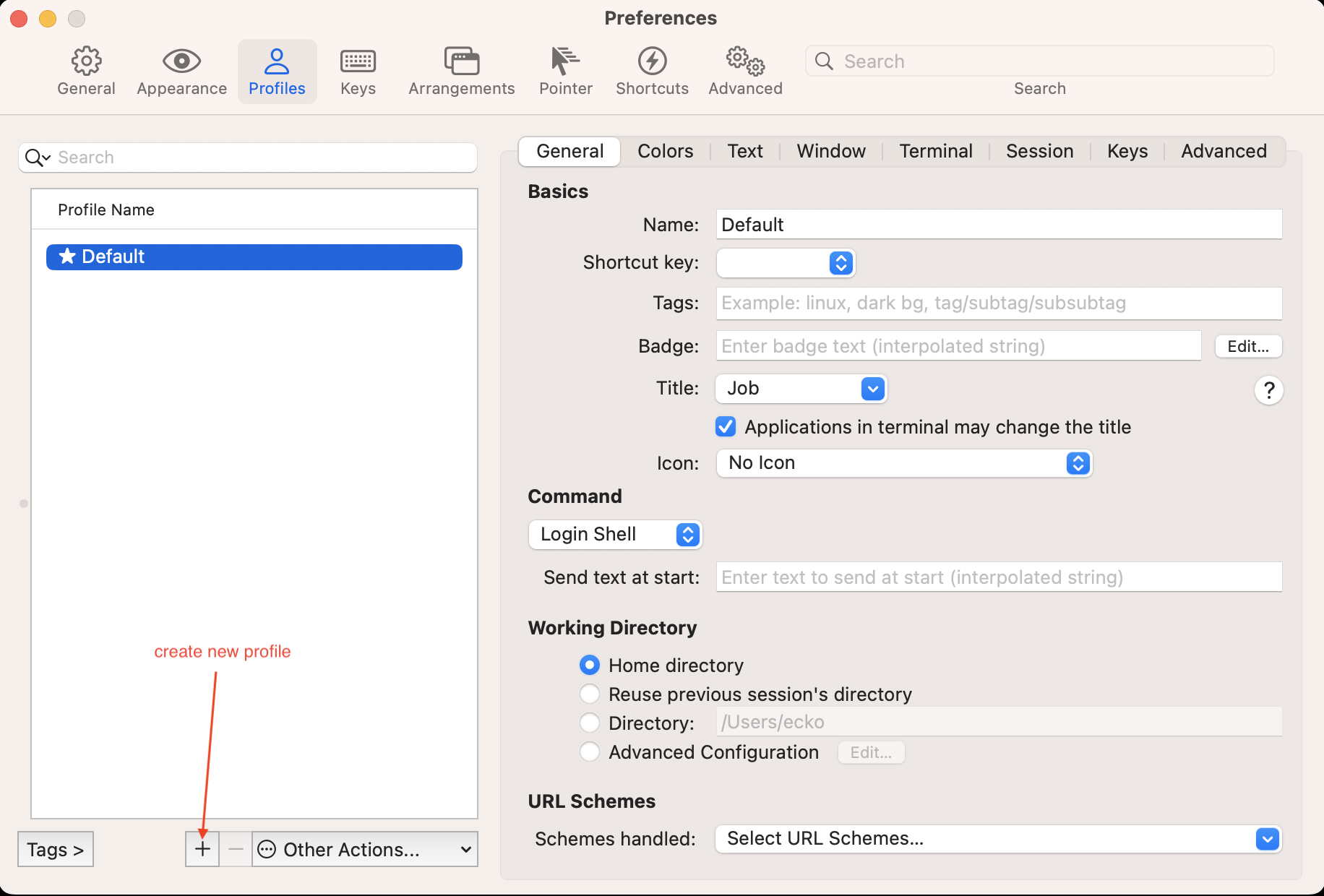
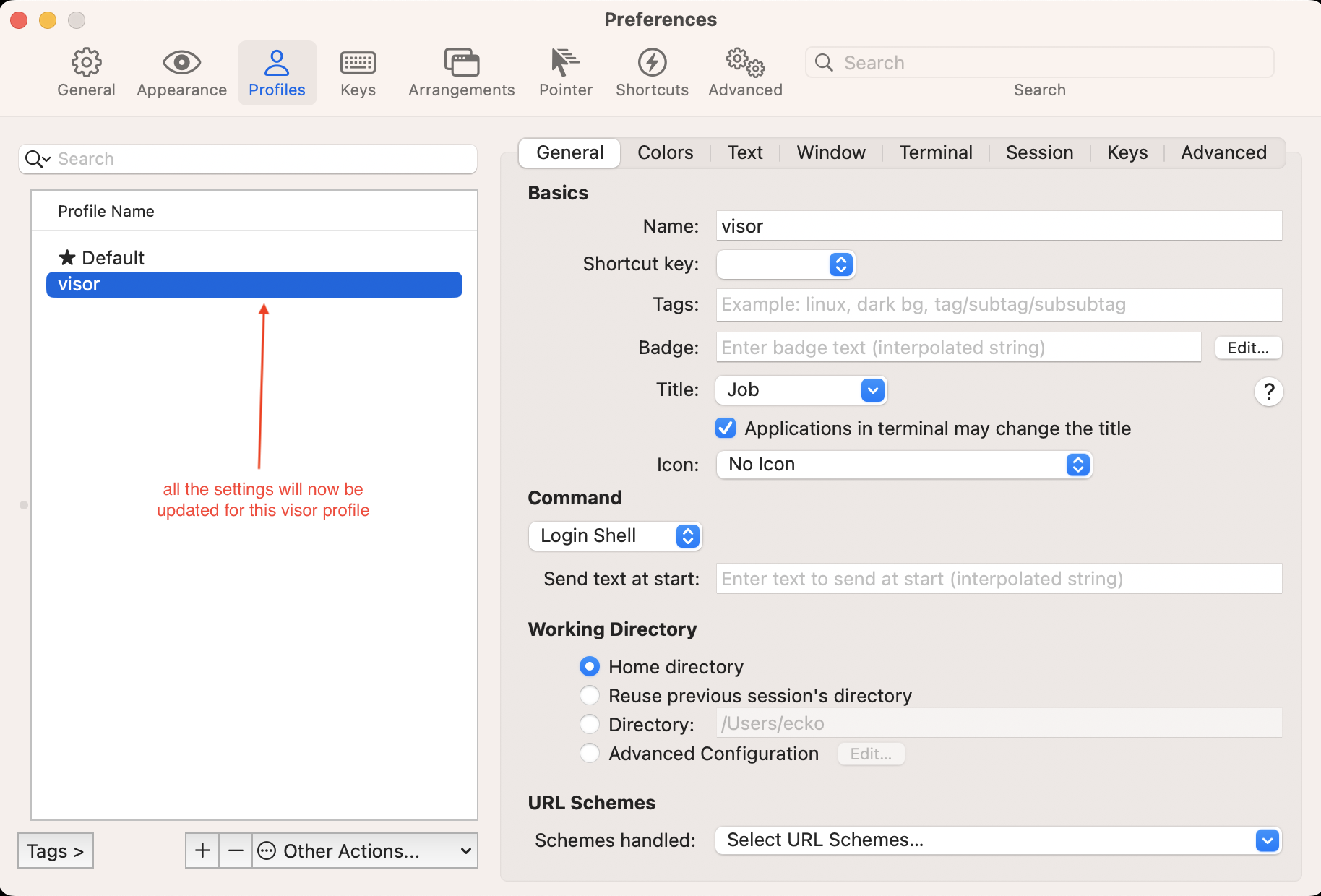
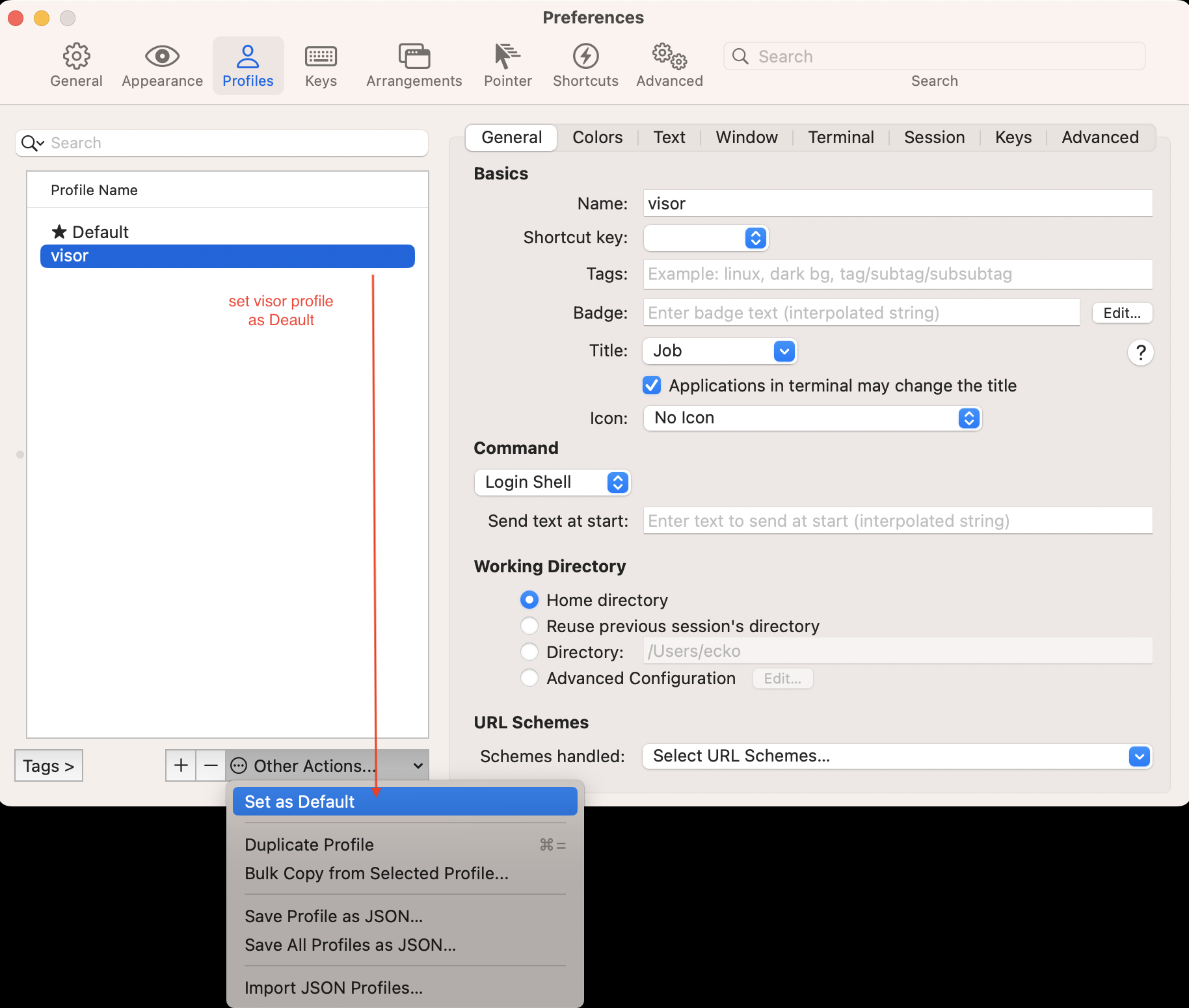
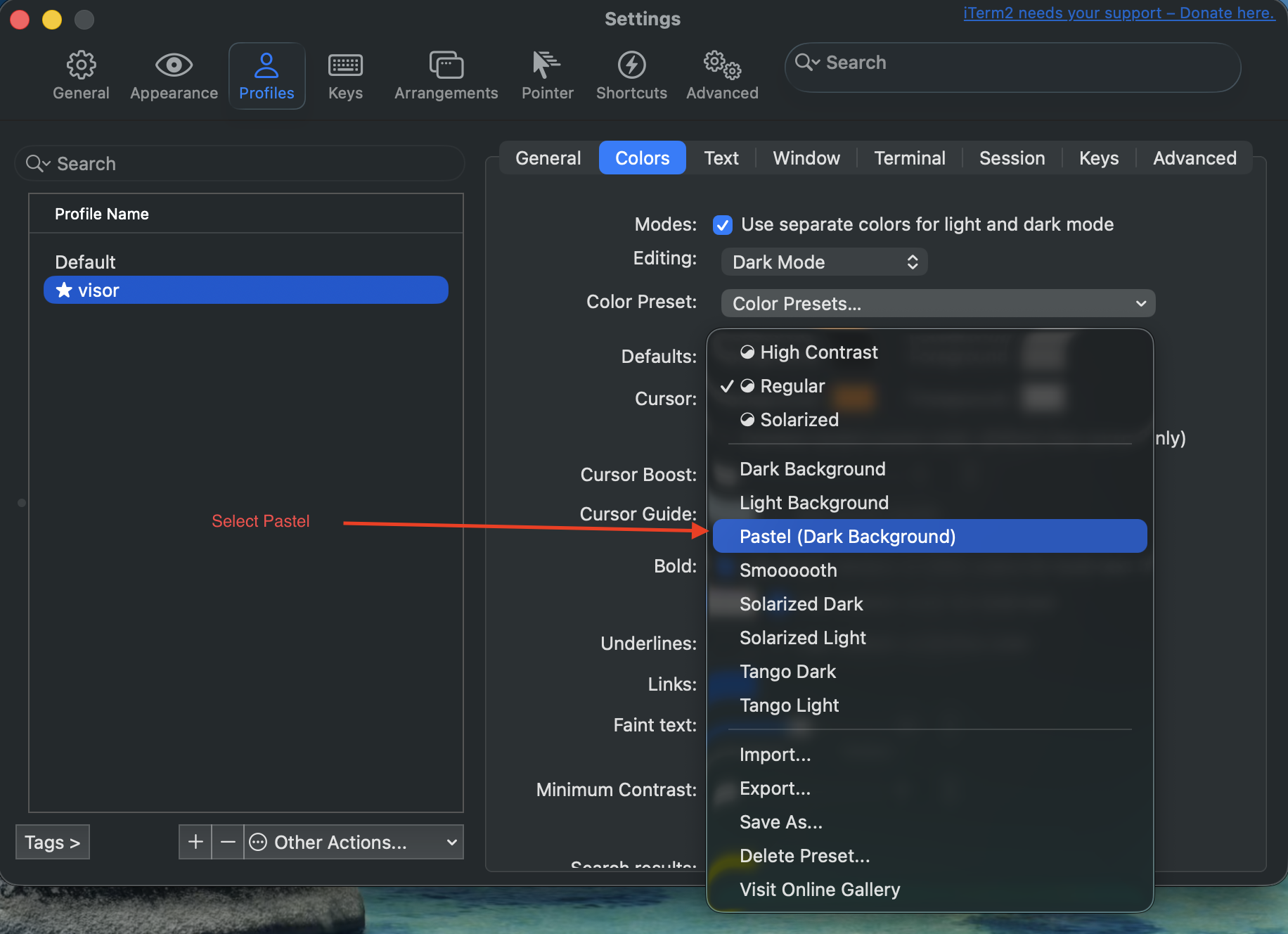
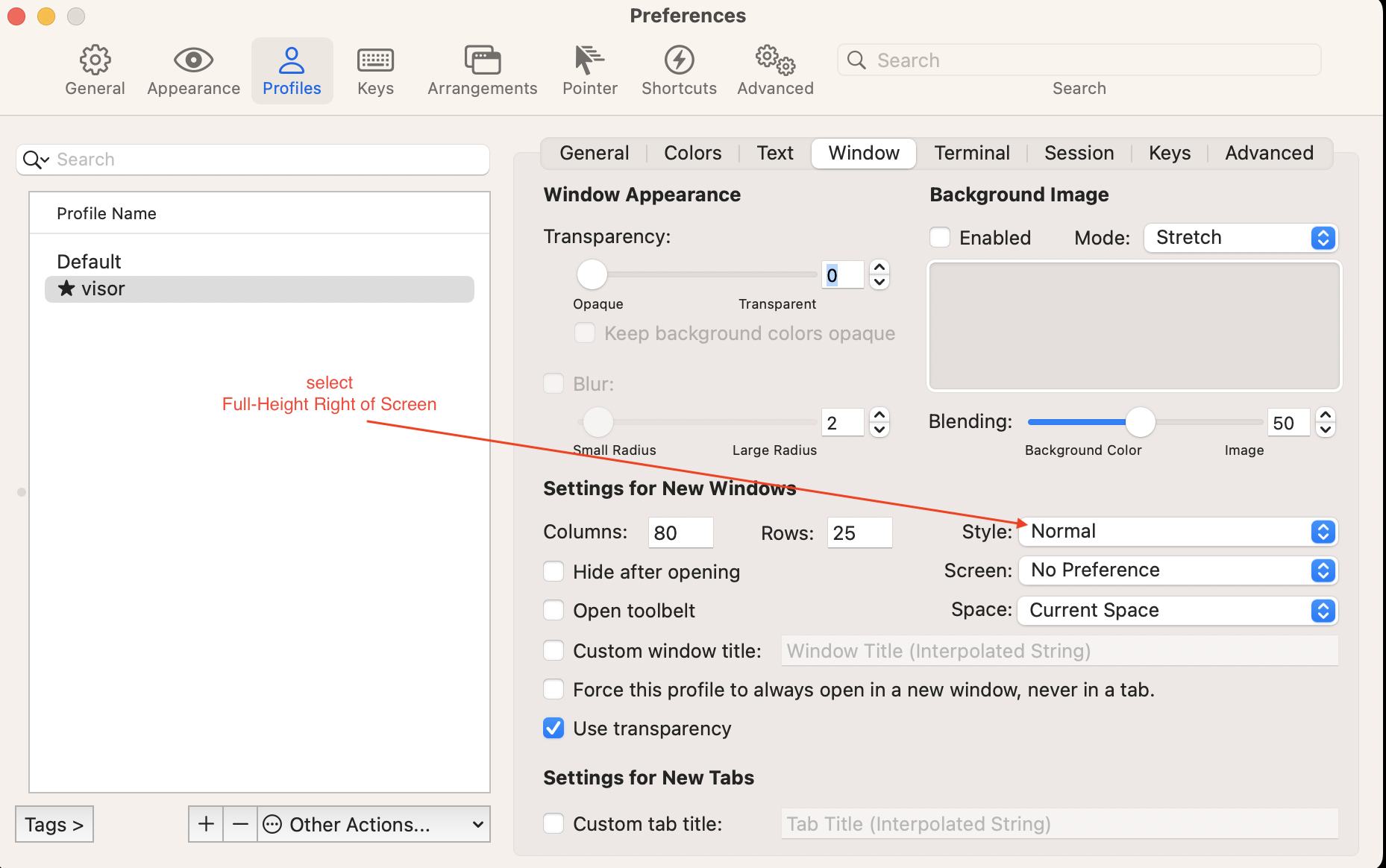
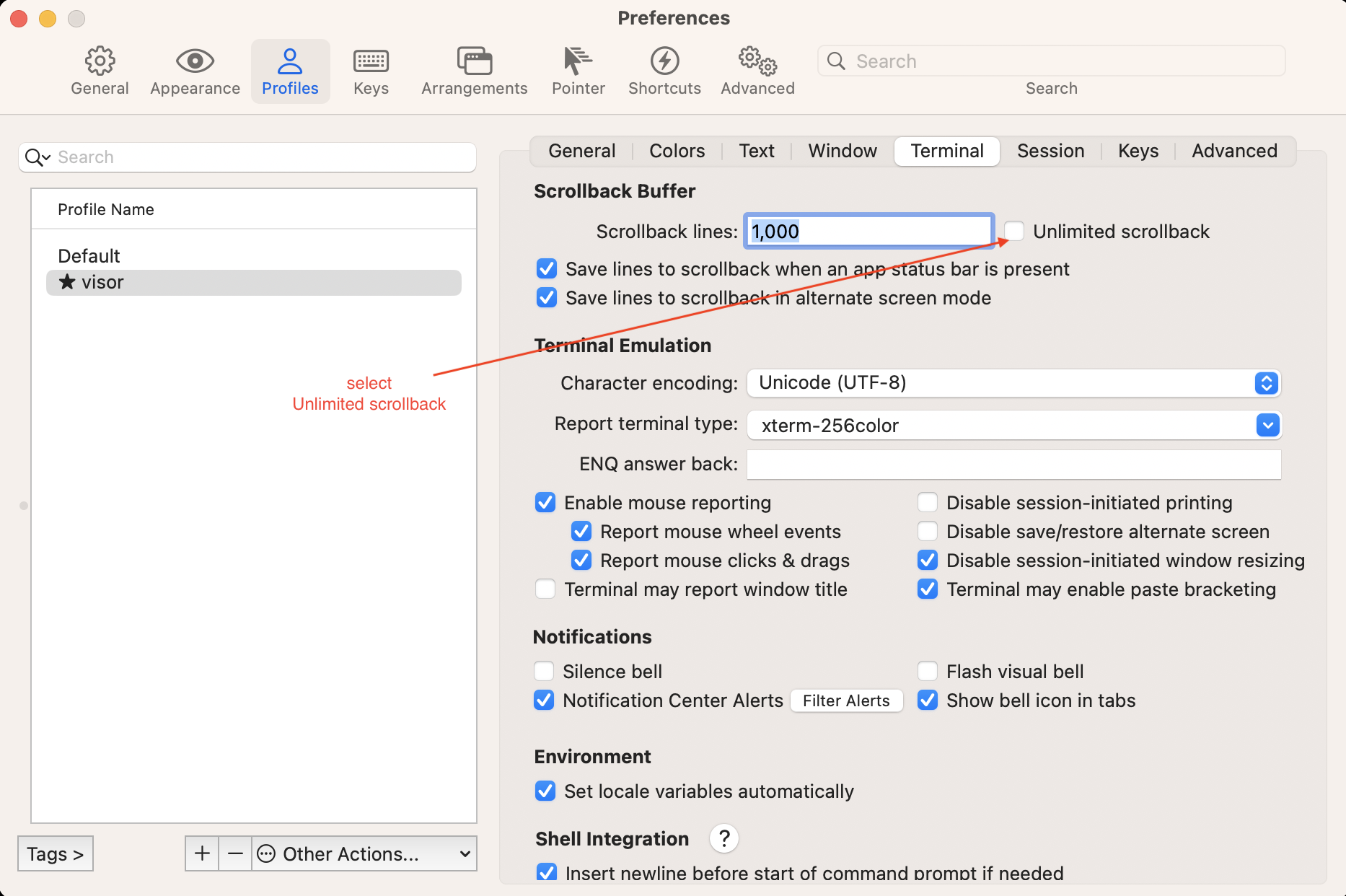
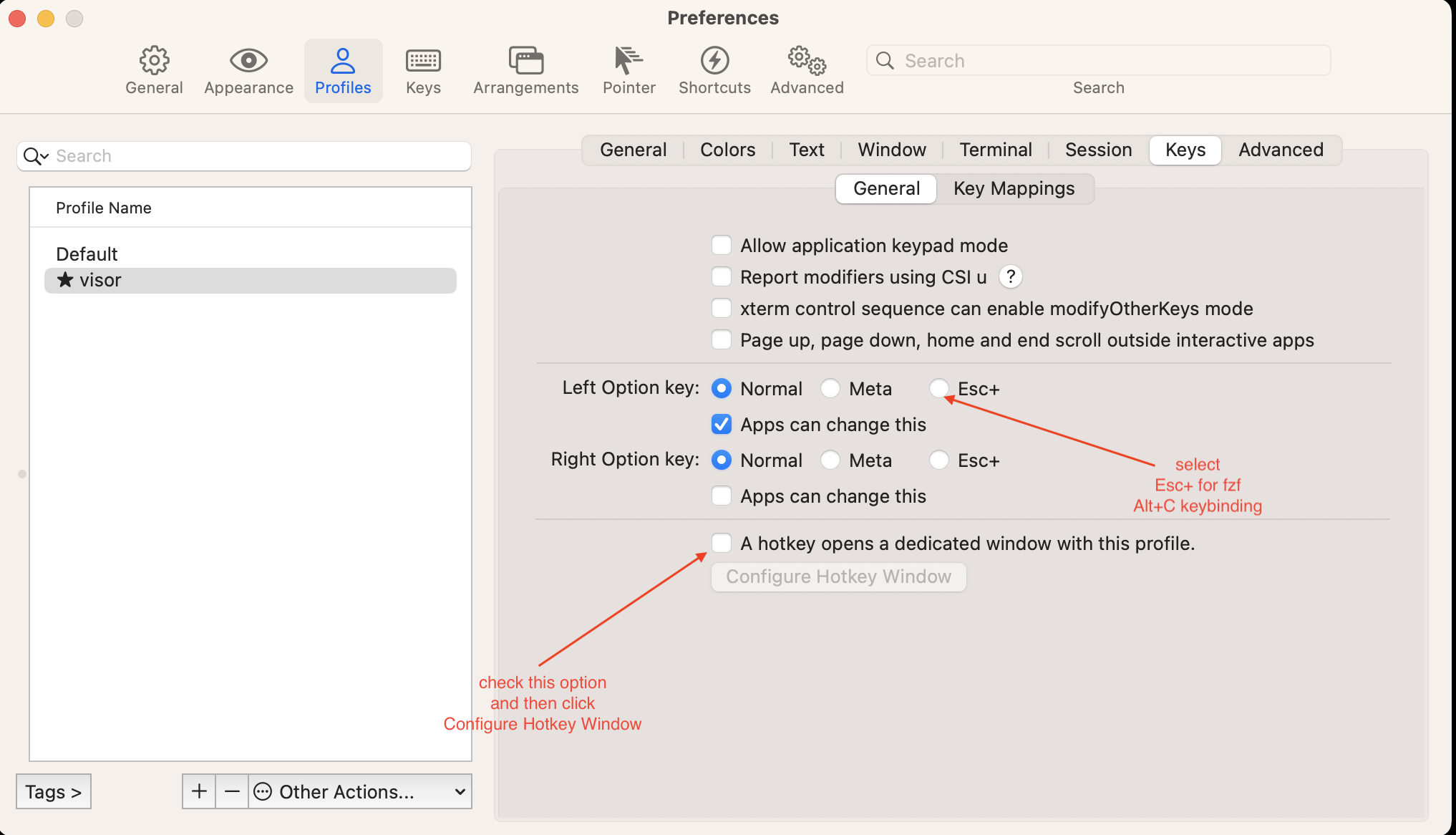
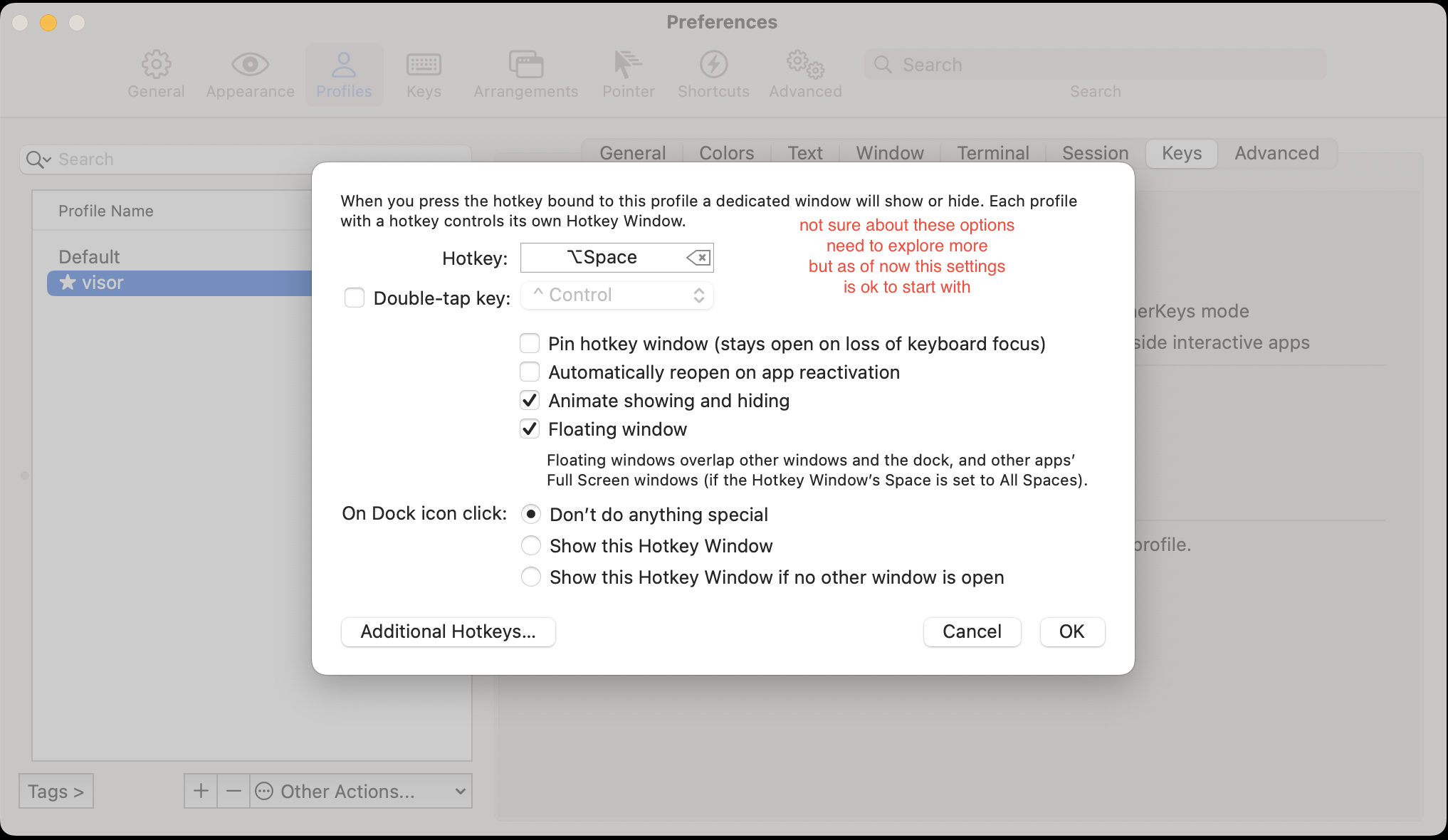
iTerm2 configuration
(Once iTerm2 is installed — by brew cask on the admin path, or into ~/Applications
by manual-tools.sh on the non-admin paths — configure it as below.)
Global options (non-admin friendly)
3. The rest via brew
curl -L -o Brewfile https://raw.githubusercontent.com/teeckoo/mac-setup/main/Brewfile
brew bundle --verbose      # casks (GUI + font) + the non-problematic formulae
rm Brewfile
brew bundle installs the GUI apps as casks (VS Code, IntelliJ, Chrome, Firefox,
Bruno, Slack — into ~/Applications; re-lists iTerm2 + font, already-installed casks
are skipped) and the rest of the CLI tools (gkit, rg, gum, jq, node, sdk,
starship, fzf, antidote, plus containers/cloud/git tools…). All no admin.
Why not everything via brew? Your
~/brewis a custom prefix, so Homebrew can’t use bottles and builds formulae from source. Casks are unaffected (prebuilt downloads), and the “rest” formulae build fast enough — but a handful are slow or fail to build from source. Those are the manual-install list, handled next.
4. The “install manually” list (prebuilt, not brew)
curl -fsSL https://raw.githubusercontent.com/teeckoo/mac-setup/main/manual-tools.sh | bash
manual-tools.sh installs the manual-install list as prebuilt binaries
(so they don’t source-build under ~/brew): coursier (cs), direnv, bat,
awscli, tinytex (no brew formula), R (the CRAN build relocated into
~/.local — no admin, since the r cask prompts for one), mdbook (a Rust
build that ~/brew would compile from source), and container
dev — colima + lima +
the docker CLI (colima start --vm-type vz, no admin — colima is the Docker
engine). It prints guidance for eza (no macOS binary — ls/cargo install eza),
wget (use curl), and gnupg (SSH commit signing).
Shell config (~/.zprofile + ~/.zshrc)
Homebrew is on PATH already (its shellenv), so you only need the interactive block.
~/.zshrc:
# ---- System ----
ulimit -n 4096            # prevent "too many open files"
setopt AUTO_CD            # cd by typing a folder name
chpwd() { ls -C; }        # listing after each cd
export DIRENV_LOG_FORMAT=""

# ---- Completions (before plugins/SDKMAN, which call compdef) ----
autoload -Uz compinit
compinit -i

# ---- Zsh plugins (antidote) ----
source "$(brew --prefix)/opt/antidote/share/antidote/antidote.zsh"
antidote load < ~/.zsh_plugins.txt

# ---- Prompt (starship) ----
eval "$(starship init zsh)"

# ---- fzf ----
[ -f ~/.fzf.zsh ] && source ~/.fzf.zsh

# ---- direnv ----
command -v direnv >/dev/null 2>&1 && eval "$(direnv hook zsh)"

# ---- SDKMAN ----
[ -d ~/.sdkman ] && export SDKMAN_DIR="$HOME/.sdkman"
[ -d ~/.sdkman ] || export SDKMAN_DIR="$(brew --prefix sdkman-cli)/libexec"
[[ -s "$SDKMAN_DIR/bin/sdkman-init.sh" ]] && source "$SDKMAN_DIR/bin/sdkman-init.sh"
Open a new shell to auto-install the plugins.
starship prompt
Create ~/.config/starship.toml:
format = """
${env_var.OPTIONAL_PROMPT_HEADER}\
$directory $git_branch$git_status$all${env_var.OPTIONAL_PROMPT_FOOTER}
$character"""

[line_break]
disabled = false

[directory]
truncation_length = 0
truncate_to_repo = false

[env_var.OPTIONAL_PROMPT_HEADER]
variable = "OPTIONAL_PROMPT_HEADER"
# The \n is placed inside the string format so it only triggers if text exists
format = "[$env_value]($style)\n"
style = "bold blue"

[env_var.OPTIONAL_PROMPT_FOOTER]
variable = "OPTIONAL_PROMPT_FOOTER"
format = "[$env_value]($style)\n" # Newline at the START
style = "bold yellow"
(starship reads this automatically; the ~/.zshrc block below runs starship init zsh.)
Zsh plugins (antidote)
Create ~/.zsh_plugins.txt:
zsh-users/zsh-autosuggestions
zsh-users/zsh-syntax-highlighting
antidote loads this on every interactive shell (see the ~/.zshrc block). Add more
plugins here as you like.
fzf (fuzzy finder)
When the fzf installer prompts, answer:
| Prompt | Answer |
|---|---|
| fuzzy auto-completion | yes |
| key bindings | yes |
| update shell config files | no |
(“no” on the last one because the ~/.zshrc block already sources ~/.fzf.zsh.)
git log pager
Keep git log on one screen (git ships with the Xcode Command Line Tools):
git config --global --replace-all core.pager "less -F -X"
Troubleshooting
Gatekeeper “cannot be opened”. macOS may quarantine a downloaded binary on first run. Clear it:
xattr -dr com.apple.quarantine ~/.local/bin
compinit prompts every shell / command not found: compdef. A leftover Homebrew
site-functions dir owned by the old admin makes a bare compinit refuse to run. The
~/.zshrc block uses compinit -i (ignore insecure dirs) before the plugin/SDKMAN
lines — keep that order.
npm i -g permission denied. Global installs are redirected to ~/.local
(npm config set prefix ~/.local), so packages land in ~/.local/bin (already on
PATH). After a major Node LTS bump, packages with native bindings may need a
npm i -g reinstall to match the new ABI.
Re-running is safe (idempotent)
Both perfect-bottles.sh and manual-tools.sh re-run safely — to finish a partial
install or refresh to latest. CLI binaries and vendor installers overwrite in place
(no duplicates); Node wipes/reinstalls latest LTS (global packages survive); GUI apps
are replaced in place (a failed download leaves the old .app); antidote/fzf are
left alone if present; an unreachable source keeps its existing copy and is logged.
There’s no local cache, so a refresh re-downloads (~200 MB Node, ~2 GB GUI apps).